


Gaming
Games
5 beginner tips for motorcycle racing in MotoGP™ 19
Milestone's latest motorcycle racer tears up the competition. Here are some tips to get you started.
The problem with a longstanding, annual sports franchise, like MotoGP or NBA 2K, is that each new entry in the franchise carries a heavier burden. It's not enough to be a good game. It must also offer something new, that either has never existed or has been wholly refined from a prior game. Whenever you ask players to pay full price for a game that is nearly identical in function and purpose to the prior year's game, it's a tough sell.
MotoGP 19, out now on Playstation 4, Xbox One, and PC (it will be out for Nintendo Switch starting on June 27), rises to the challenge. Its predecessor, MotoGP 18, suffered criticism for its comparatively bare bones approach. The developers built it from the ground up on Unreal Engine 4, but because it was an annual release, they didn't have time to include the customisation options that players had come to expect.
MotoGP 19 covers these bases, and debuts a "Neural AI" mechanic, where the game will learn your playing style and react accordingly. So don't be surprised if the computer begins to overtake you on the last turn. Instead of "rubber-banding" and upping its speed and ability only when you pull ahead, the AI is consistently clever.
Here are five tips to help you get started on MotoGP 19. If you're used to playing car racing games, or are mostly a kart enthusiast, these strategies will help to ease your transition.

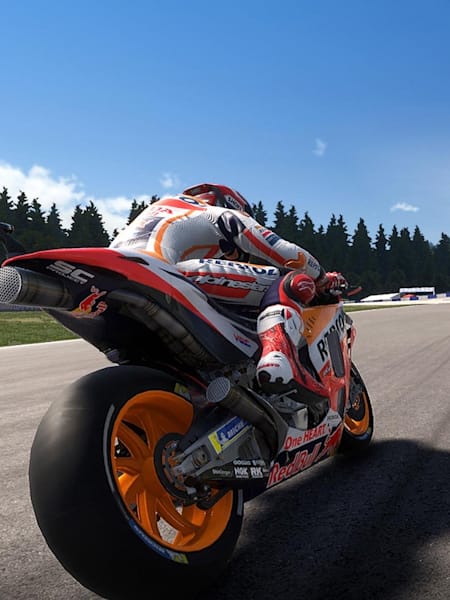
Assists are a beginner's best friend
© Milestone
1. Use Ideal Trajectory, especially if the track is unfamiliar.
There are multiple Ride Assists under the Options menu, and you shouldn't be shy about applying them when you're first starting out. Consider using auto gear shifting rather than manual gear shifting; master using the clutch and making precise turns before worrying about how to smoothly shift up or down.
But the most useful assist, by far, is the race track's Ideal Trajectory. Activating this option creates an optimised overlay on the track, which tells you exactly whether you should be taking the outside or the inside, and when you should be easing off the gas and braking to avoid a crash.
This is the sort of thing that you will eventually be able to judge on instinct. But using Ideal Trajectory is an excellent way to develop this skill. Also, remember to keep an eye on the overlay, even after you've negotiated the turn. It will also tell you when you can hit the gas, and hopefully, overtake a couple of opponents in the process.
2. Take every practice lap and warm-up available to you.
In Career Mode, each race lasts a weekend, filled with practice laps, a qualifier to secure a better starting position, a warm-up on the day of, and lastly, the actual race, where you can earn points for the season.
There is an option to Race Only, but it's not recommended. The practice sessions and warm-ups are there to help you get familiar with the curves and bends of the track. And what you see isn't always what you get; even if two turns look the same, one turn might be smooth, and the other turn might be more slippery, causing you to spin out if you brake too hard.
Every track has its little hitches. Use your practice sessions to identify those eccentricities, instead of learning them during the final race. Posting good times on these practice sessions will determine your Qualifier, which in turn will determine your start position on the final race. Skipping these sessions means that on actual race day, you'll be starting dead last.

It's not worth the risk of a crash
© Milestone
3. Don't push too hard
The temptation to go as quickly as possible and brake as hard as possible is huge. But take a moment to look at the post-race results. the people who finish the race in the Top 5 don't always have the fastest individual lap times. What they do have is consistency.
Prioritise your ability to remain on the track; race a low-risk style that emphasises precision over speed. It may not be as thrilling, but the exciting, hairpin turns can come later, after you've mastered the basics. Because if you lose control of your bike and run headlong into the wall, your chances of recovering and placing in the top half are slim.

Your pit crew knows best
© Milestone
4. Adjust your bike in Guided mode
At any time during the practice sessions, your engineering crew can adjust your bike to match your driving style. So, if you find that you have bad handling negotiating multiple turns, pause the race, and head back to the pit.
You can fiddle with your bike manually. But unless you know what you're doing and can authoritatively speak on the sizes of front and rear disc brakes, then do a Guided adjustment. There's an extremely user-friendly interface; here the crew will ask you what you have trouble with (corner entry) and what specifically you want changed (responsiveness, precision, deceleration).
The crew will then make a host of changes; pay attention to what they do and what the new settings are. Eventually with enough practice, you'll be able to do it on your own.
5. When all else fails, rewind!
It happens. It went so well in practice, and then in the race, when it really counted, you spun out and crashed. You could just limp to the finish line, and retry the race. Or, if you want immediate redemption, you can use the Rewind function (make sure it's on in the Ride Assist menu) to back up 10 seconds and try it again.
It's always nice to have Rewind in your back pocket when you're starting out. Plus, if you decide not to use it and run a perfect race, it won't count against your score multiplier.
